
Did it work? Count it.
Traffic is a number; a conversion is somebody doing what the site is for. Pulse counts them four ways: a goal, a funnel, an A/B test, and an event you name. Everything here is built; the figures are real captures, and a few of the numbers come from the API and agent tools rather than from a page, as the notes say.

Goals
A goal is a name and a rule. Three kinds exist: a page goal matches a path pattern such as /products*; an event goal matches an event name; and a revenue goal sums the revenue carried on an event. Conversions, the share of visitors who converted, and revenue per conversion come back from the API and agent tools.
| Page goal | A path pattern, for example /investors*. |
|---|---|
| Event goal | An event name such as demo_requested or form_submit. |
| Revenue goal | An event with a revenue amount; the goal sums it. |
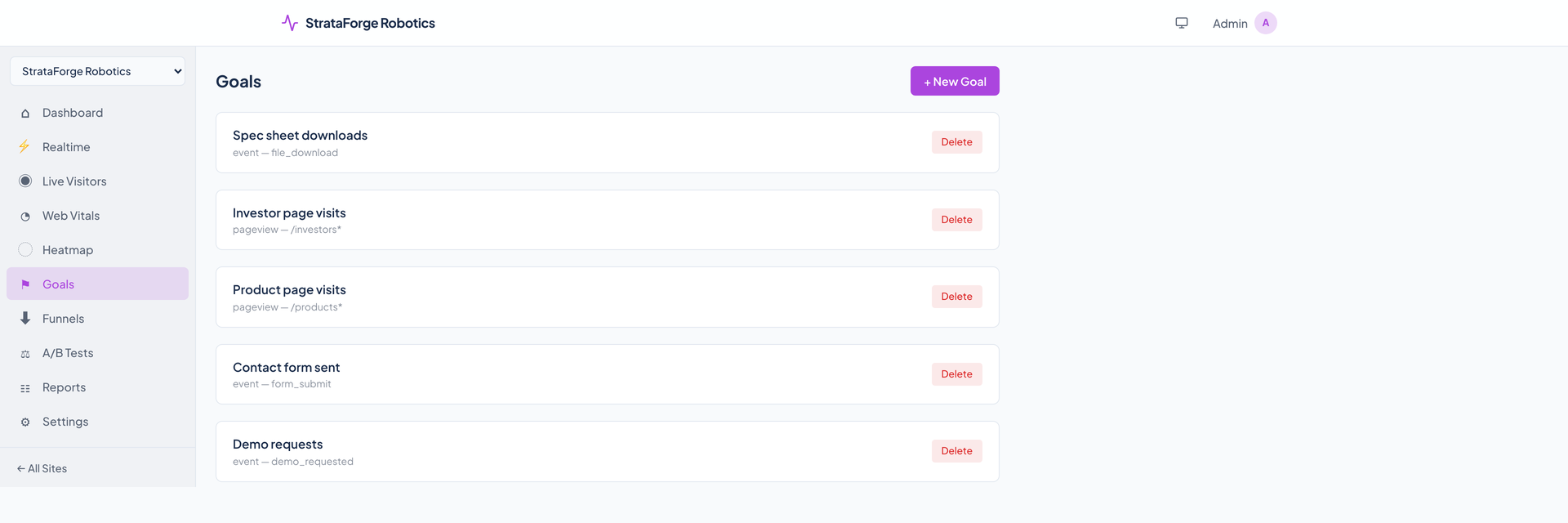
The Goals page lists and creates goals. It does not show their conversion numbers; those are in the API and agent tools.
Funnels
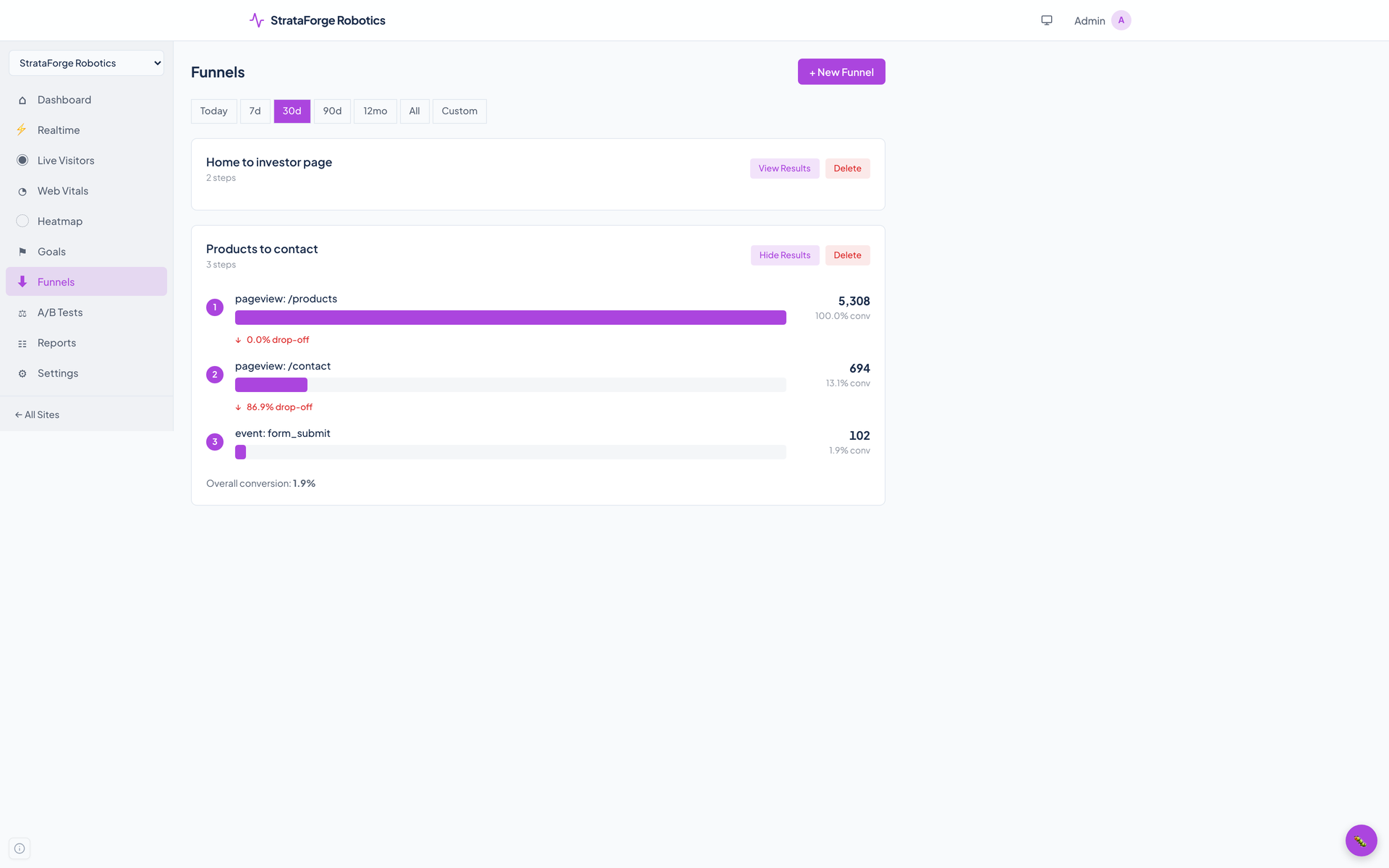
A funnel is an ordered list of steps, each a page or an event. Pulse counts how many visitors reached each step, in order, and how many dropped out between steps. The example opens the products page, then the contact page, then sends the contact form.
A/B tests
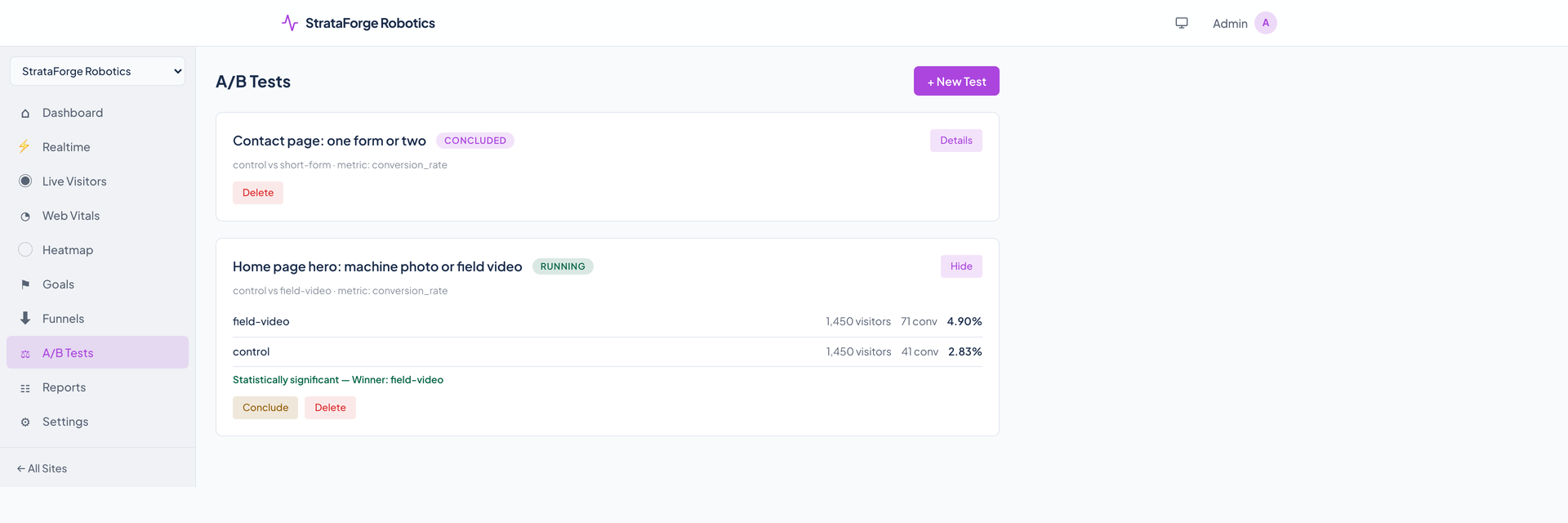
Create a test with two or more variants and their weights. The script asks Pulse which variant a visitor gets, records the impression, and the same visitor is always given the same one that day. A conversion, either an event name you chose or a click on an element marked for it, is counted against the variant.
Results show each variant's visitors, conversions, and rate, and a chi-squared test says whether the difference clears the confidence level you set (95 percent by default). Concluding a running test names a winner only when it does.
Events
Any action can be an event. From your own code call pulse.track with a name and properties; or put data attributes on an element and Pulse tracks its clicks; or send events from your server with an API key.
Four events come for free, unless you turn them off: a click on a link to another site, a download of a file such as a PDF or a zip, a form submission, and a 404 page. For a form, Pulse records only its id, name, and action, never what was typed.
- Properties are stored as JSON and shown in the events breakdown, and a goal or funnel can use any event name.
- Revenue and currency can ride on an event for revenue goals.
- Stripe, SendGrid, Google Ads, and Meta can post events through signed webhooks.
Saved reports
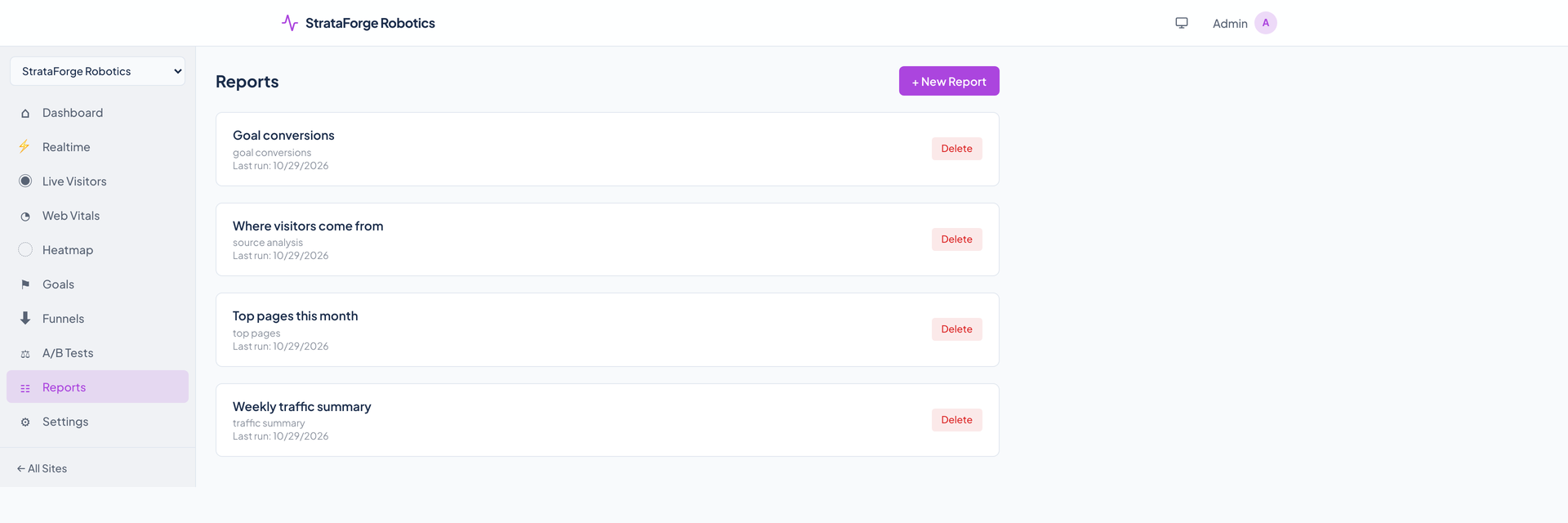
A report is a saved question: traffic summary, top pages, source analysis, goal conversions, or device breakdown. The Reports page creates and deletes them. Running one and downloading it as CSV are API and agent calls, and a schedule can be set through the API.
Attribution and milestones
Through the API and agent tools Pulse can credit a conversion to a visitor's earlier touchpoints under five models: last touch, first touch, linear, time decay, and position based. Milestones pin a name and a date, such as a launch, to a site's timeline.
Questions about this tool?
Write to Renkara Media Group and a person will answer.