Web analytics without cookies

Count the visits. Skip the cookies.

Pulse counts the people who visit your sites with no cookies, no stored IP addresses, and no consent banner. This site shows it running on the fictional StrataForge Robotics’ own websites.

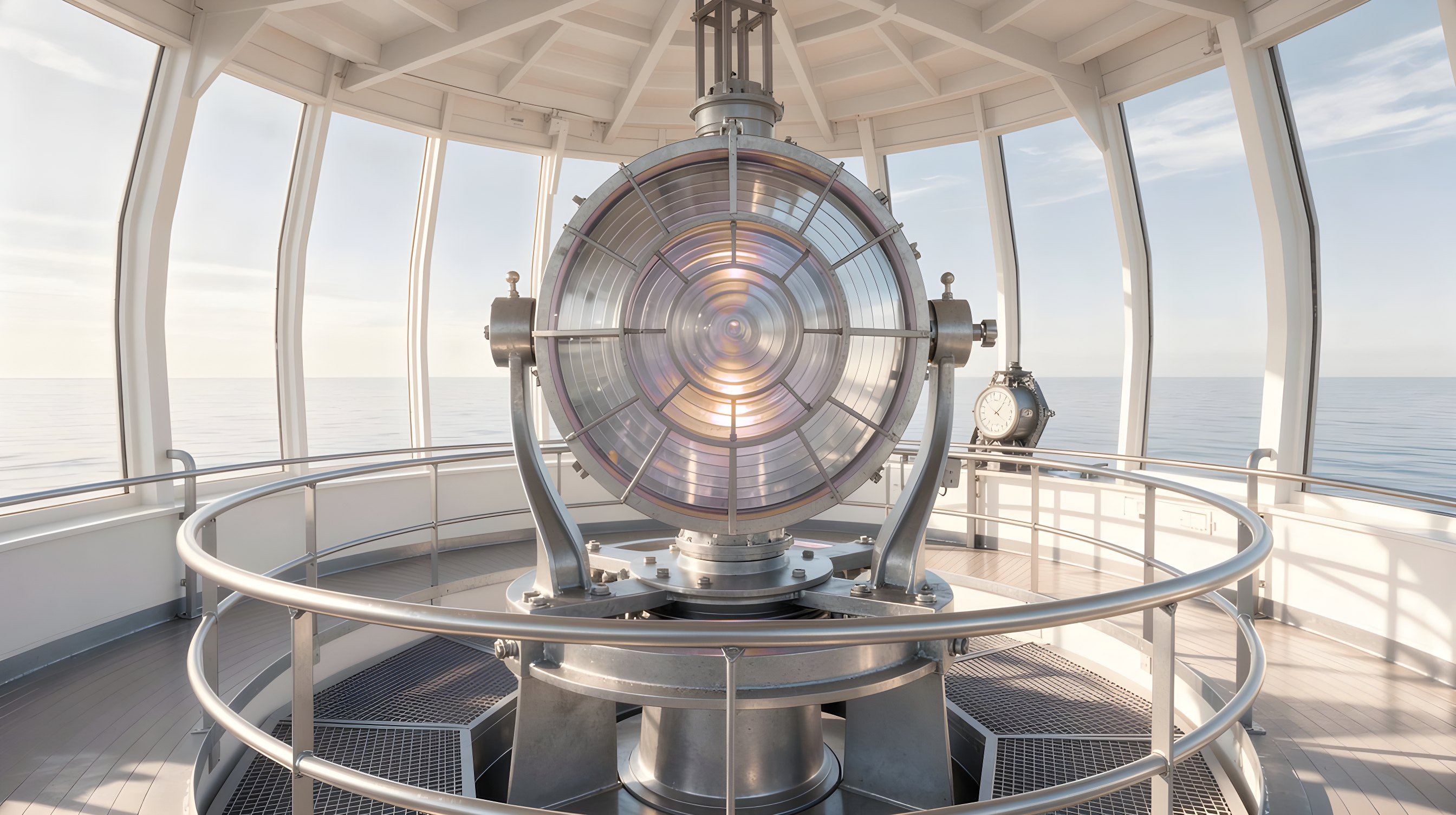
Illustration: the lamp room of a lighthouse with a large glass Fresnel lens glowing soft violet and the sea beyond the windows.
Features

What you can see, and what you can measure

Pulse is two things: a tracking script that counts pageviews and events, and a dashboard, an API, and 62 agent tools that read them back. Everything below is built today.

See the traffic

01

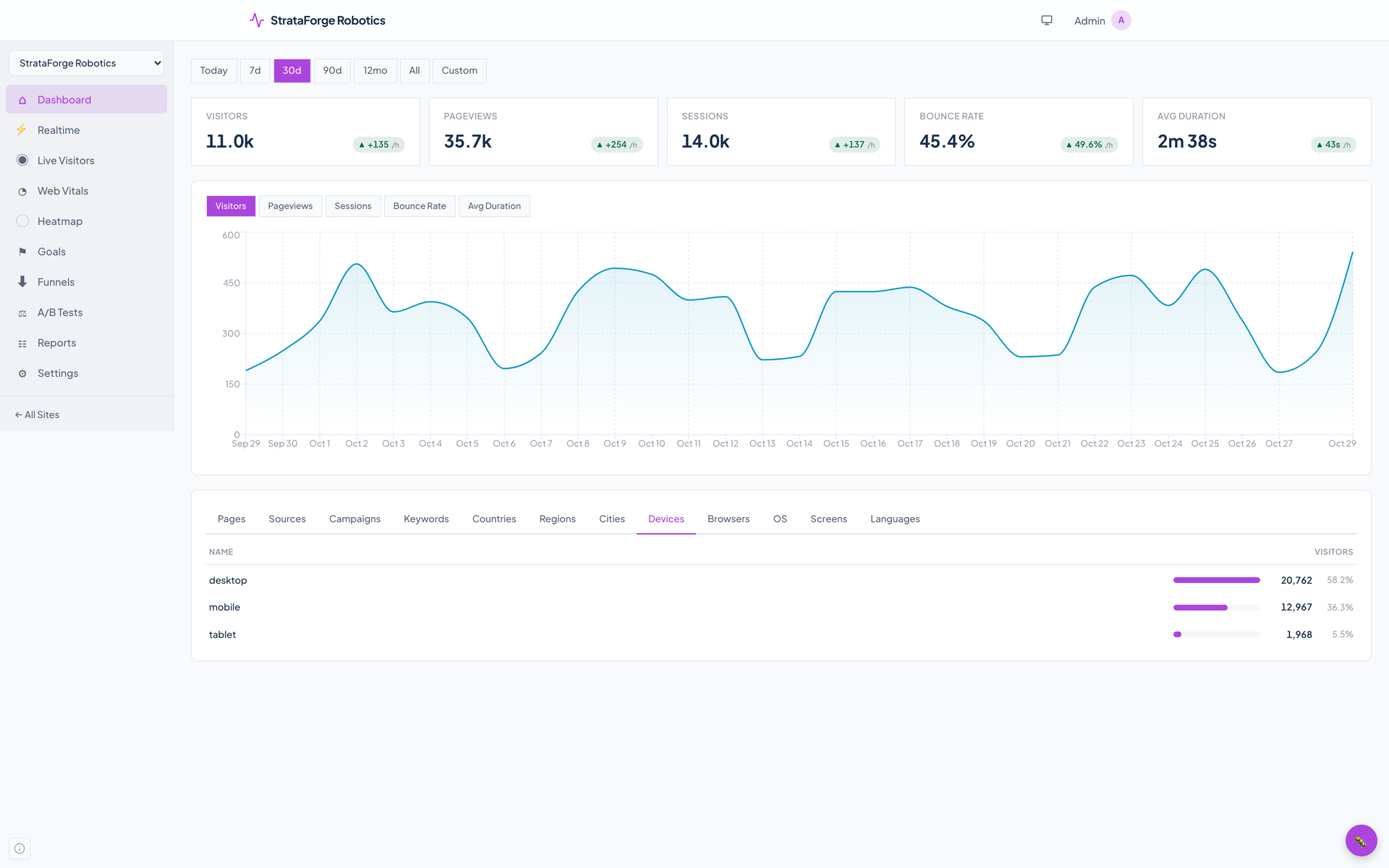
Five numbers and a chart

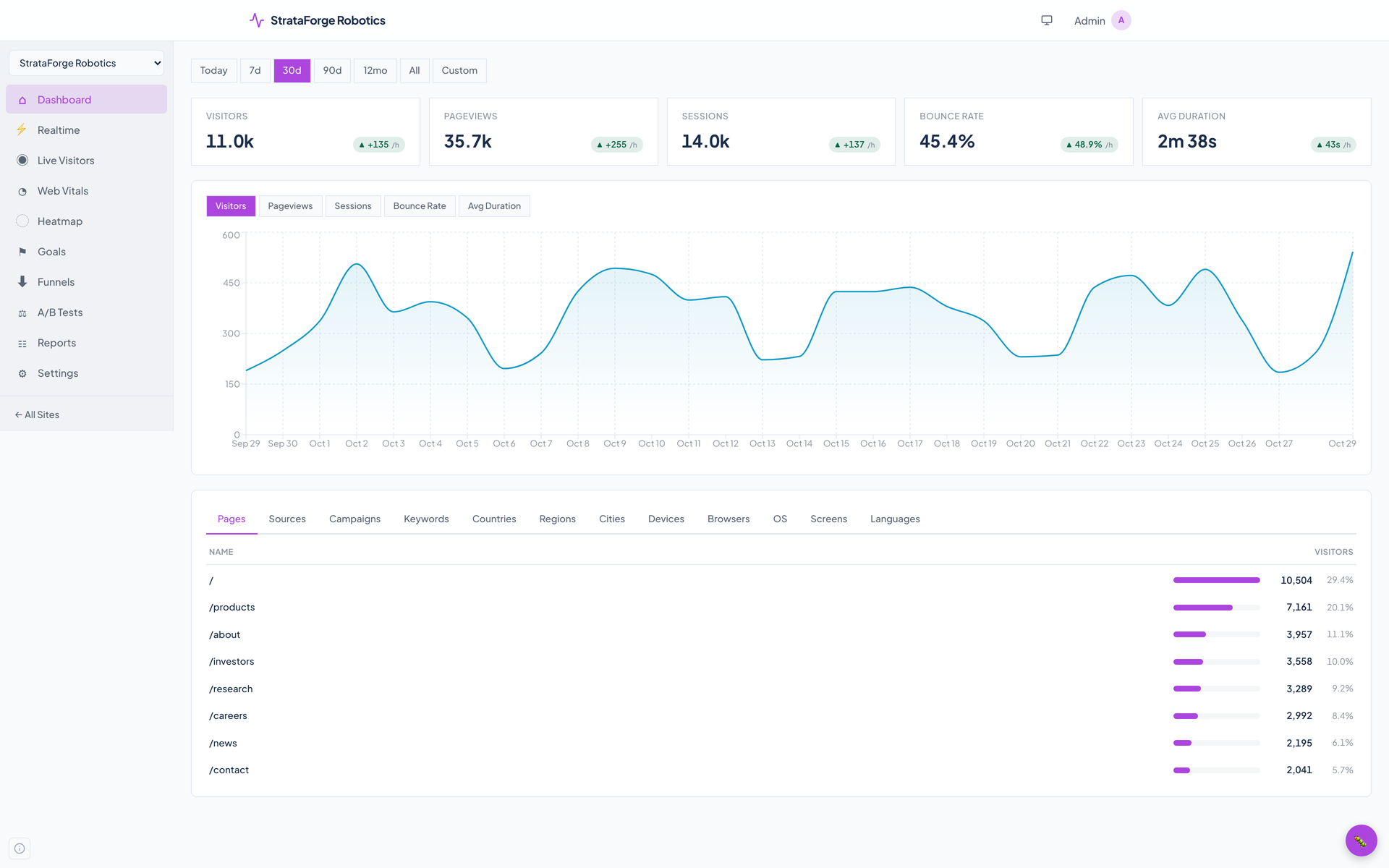
Visitors, pageviews, sessions, bounce rate, and average visit length for Today, 7 days, 30 days, 90 days, 12 months, all time, or any range you pick, with an hourly or daily chart. Click a row anywhere and every number filters to it.

02

Twelve breakdowns

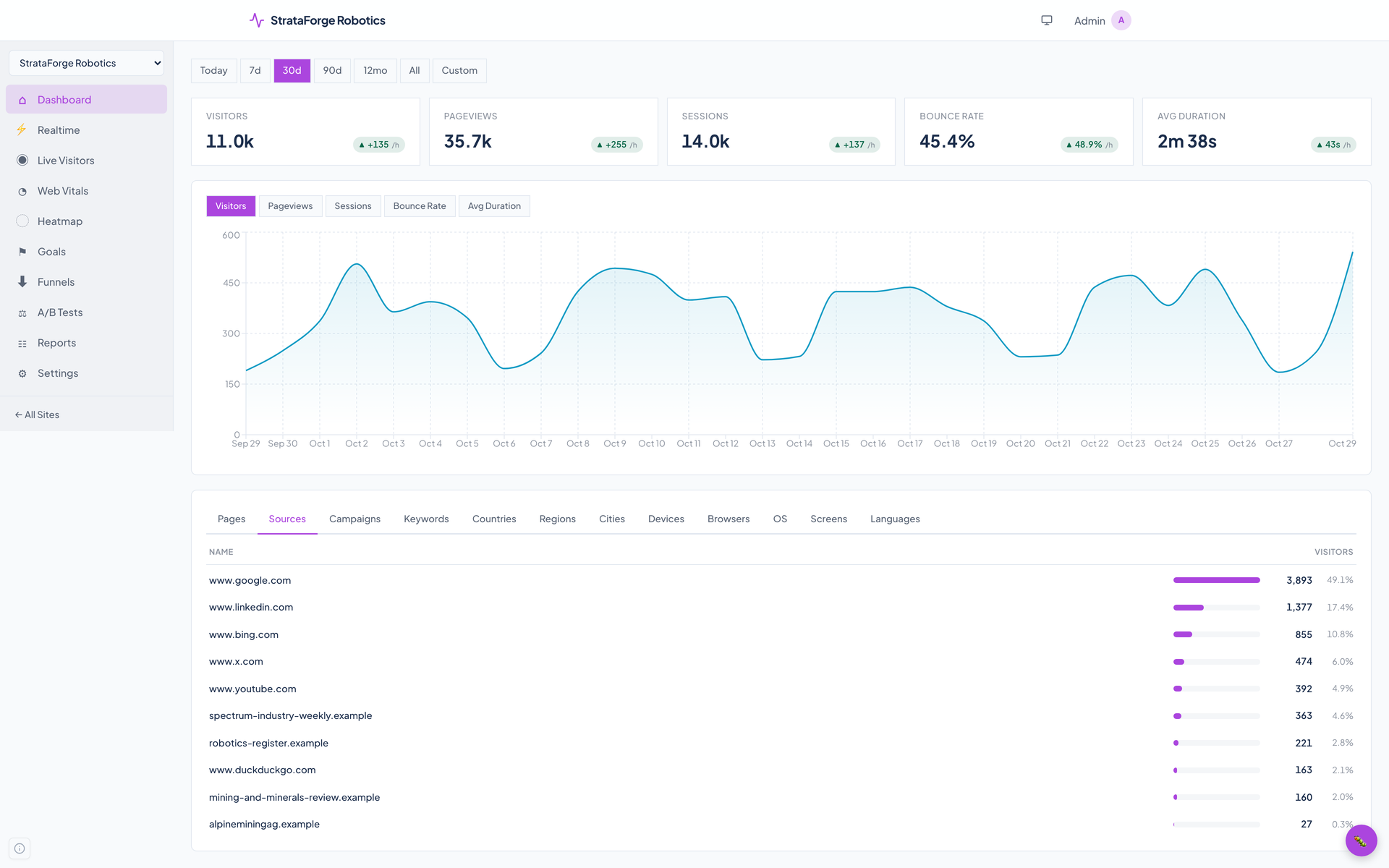
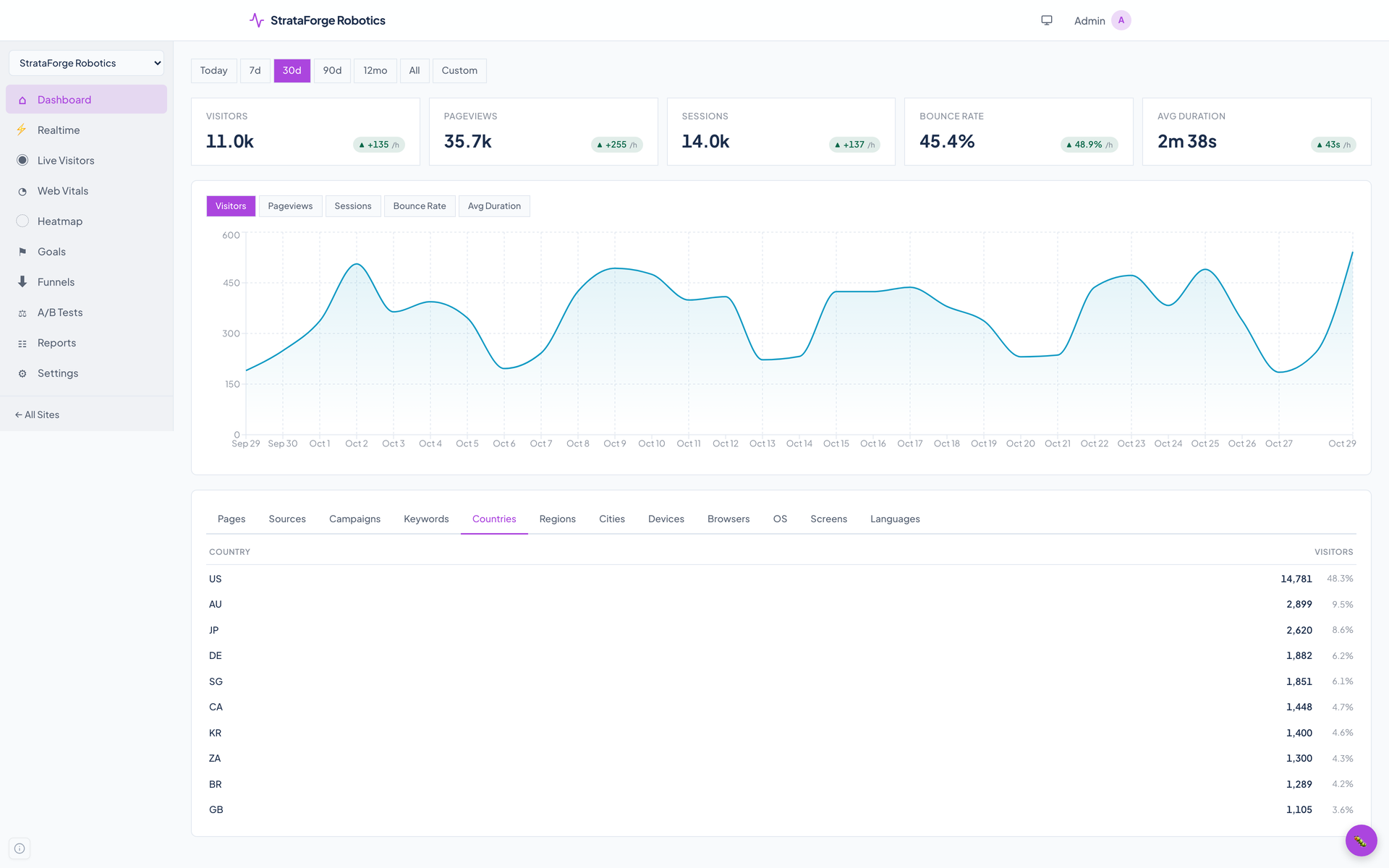
Pages, sources, campaigns, keywords, countries, regions, cities, devices, browsers, operating systems, screen sizes, and languages. Entry pages and exit pages are available through the API and agent tools.

03

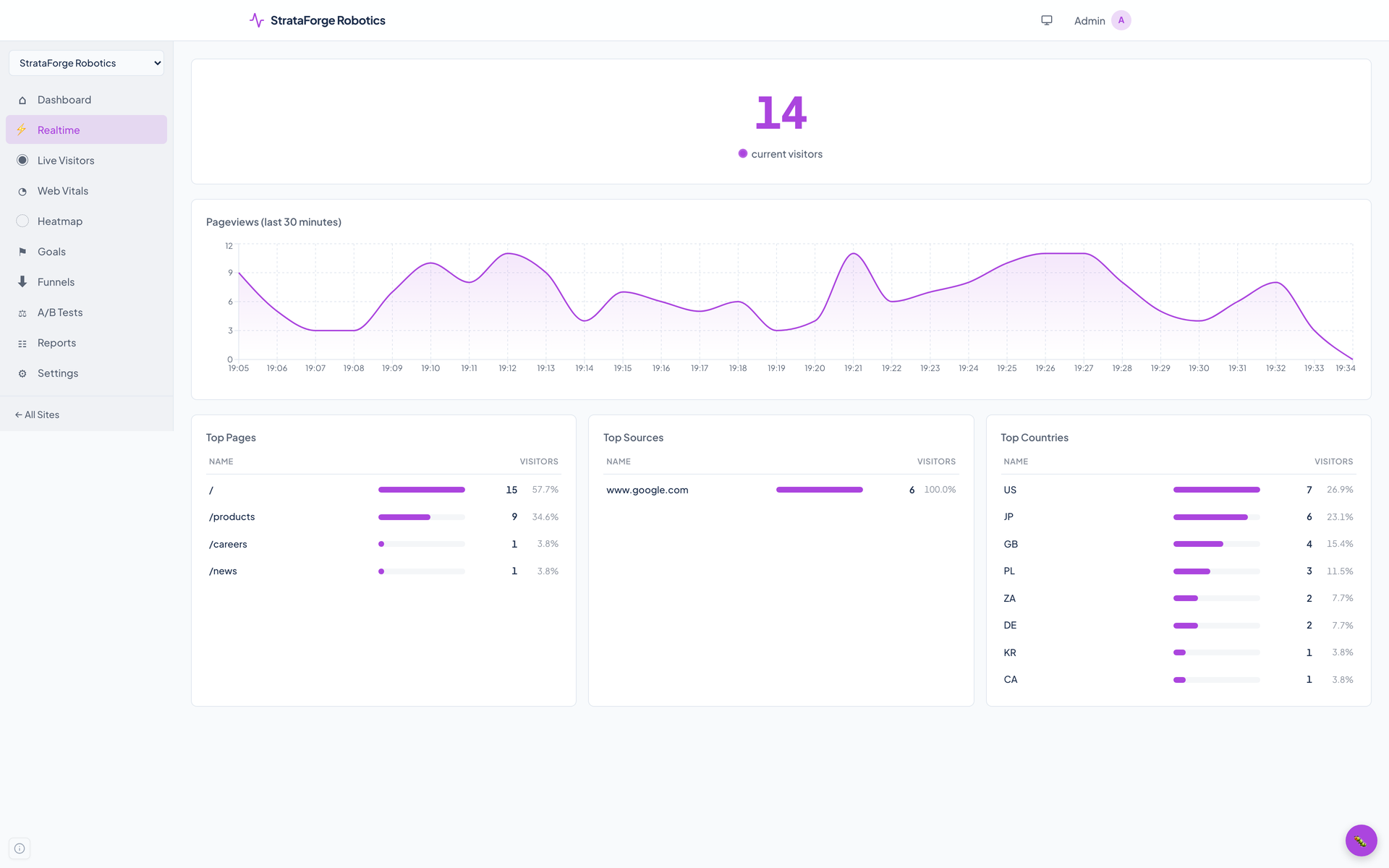
Realtime

A count of visitors in the last five minutes, a chart of the last 30, and the top pages, sources, and countries, refreshed every five seconds.

04

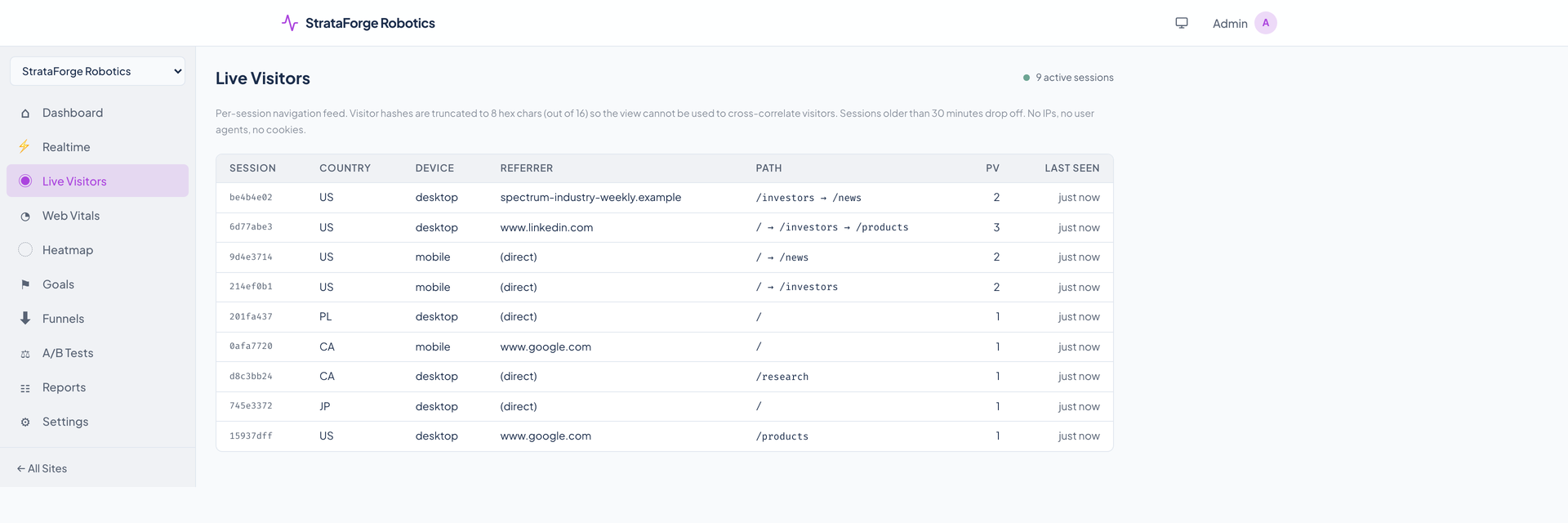
Live Visitors

A feed of sessions as they move through the site, pushed to the page over a server-sent event stream. Sessions are grouped under the first eight characters of an hourly hash and drop off after 30 minutes.

05

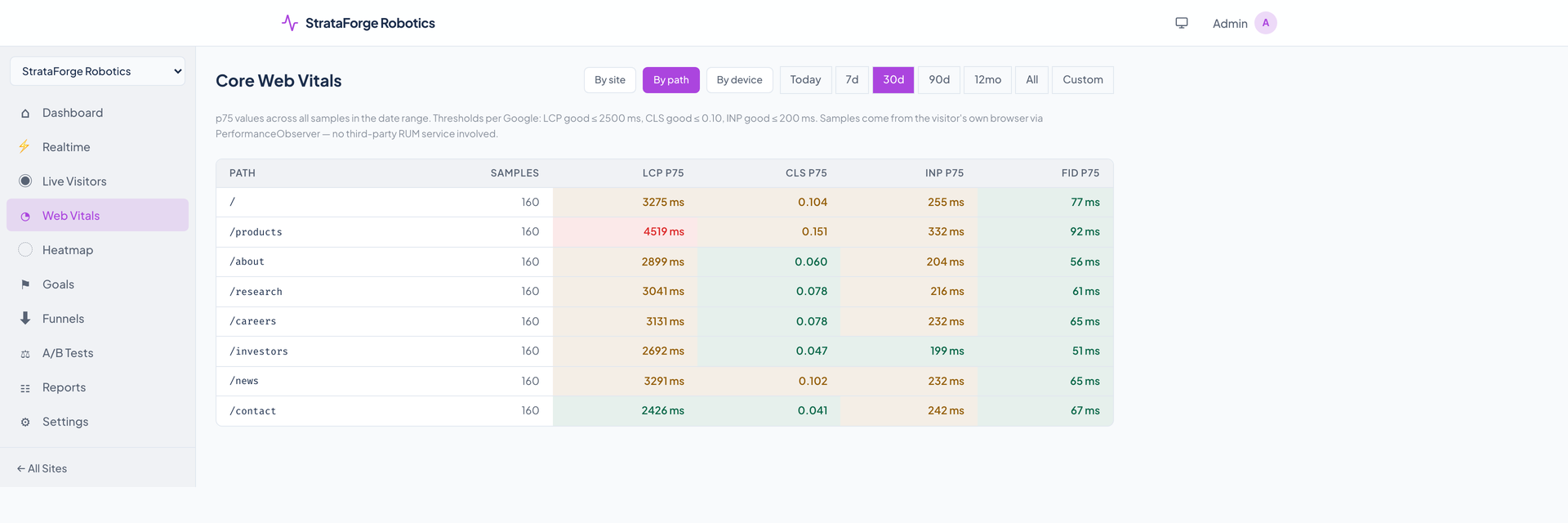
Core Web Vitals

Largest contentful paint, layout shift, interaction to next paint, and first input delay, measured in the visitor's own browser and shown at the 75th percentile by site, page, or device, colored by Google's thresholds.

06

Heatmaps

Off until a site turns them on. Clicks are stored as a percentage position on the page and scroll depth as a percentage, never the text or the element, and drawn as a scatter on a plain background.

Measure what works

07

Goals

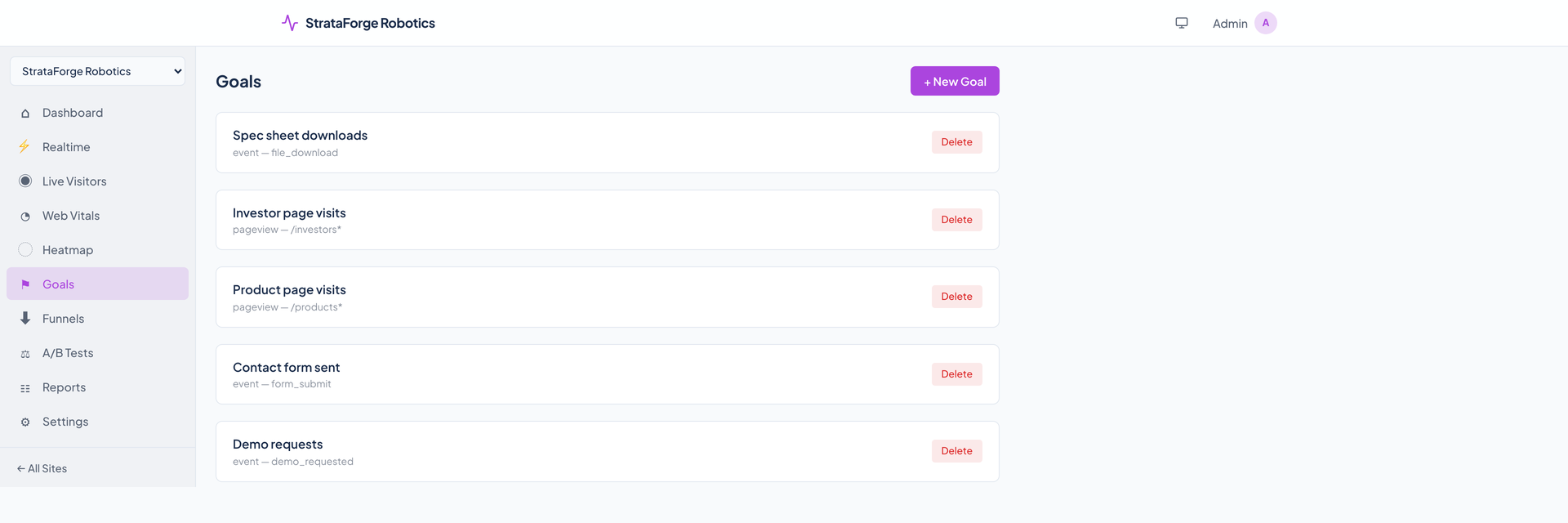
A goal is a page pattern such as /products*, a named event, or an event that carries revenue. Conversions and conversion rate come back from the API and agent tools.

08

Funnels

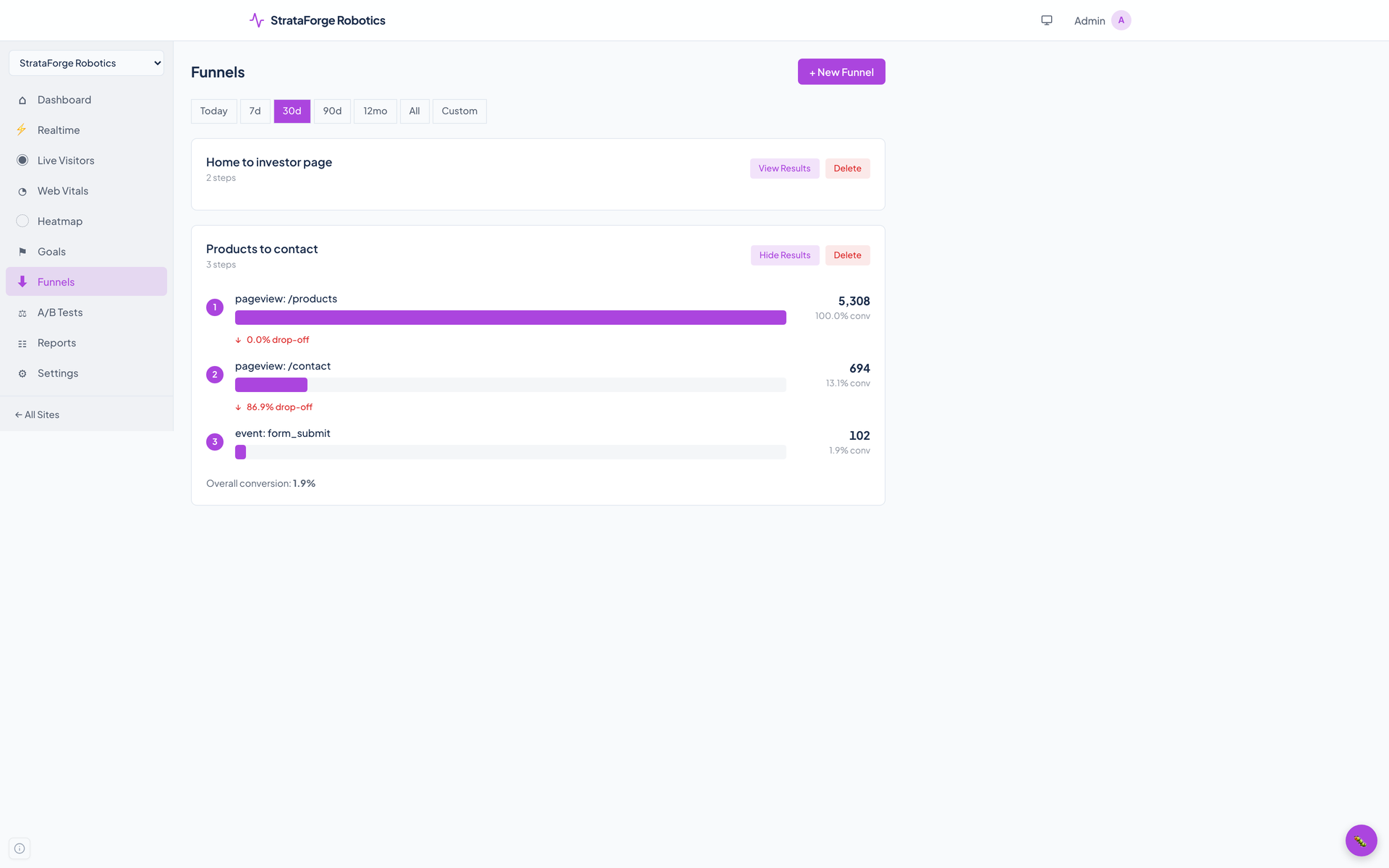
Chain page views and events into steps and see how many visitors reach each one and where they drop out.

09

A/B tests

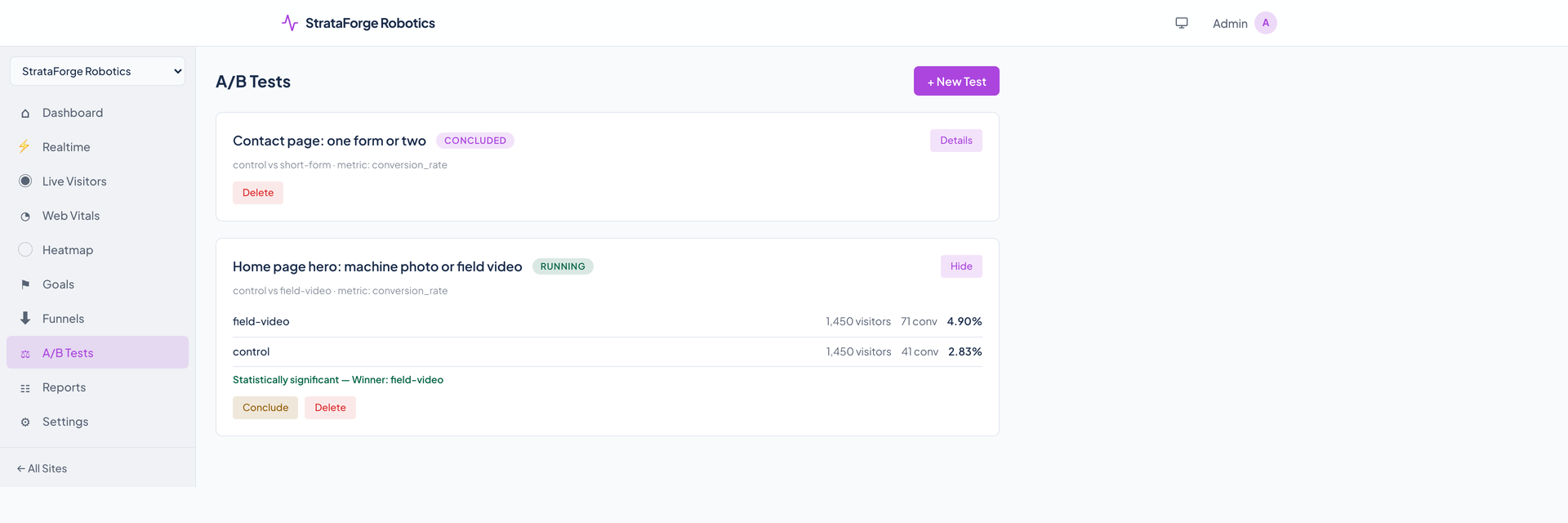
Give each visitor a variant, count impressions and conversions from the same script, and read a chi-squared significance test. Concluding a test names the winner when the result clears the confidence level you set.

10

Custom and automatic events

pulse.track(name, props) from your own code, or data attributes in the HTML. Outbound link clicks, file downloads, form submissions, and 404 pages are tracked on their own unless you turn that off.

11

Saved reports

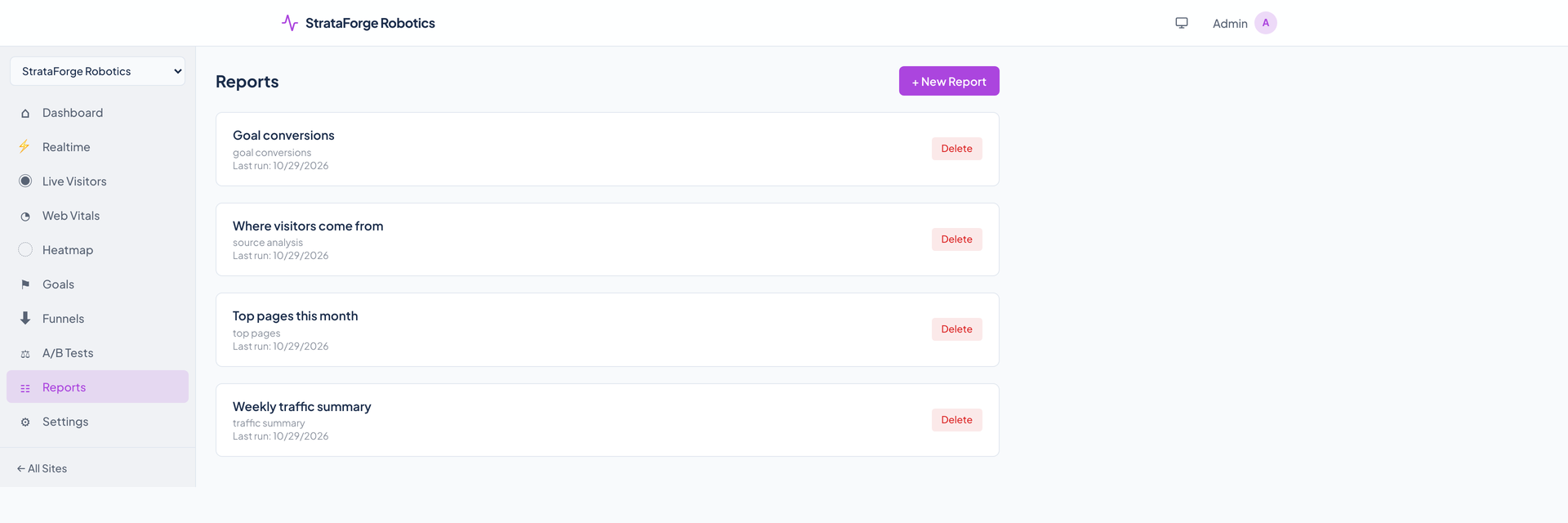
Five report types: traffic summary, top pages, source analysis, goal conversions, and device breakdown. Run one and download it as CSV through the API.

12

Attribution and milestones

Five attribution models (last touch, first touch, linear, time decay, and position based) over a visitor's touchpoints, and named milestones that annotate the timeline. Both are API and agent tools.

Collect less, on purpose

13

No cookies, no storage

The script sets no cookie and writes nothing to local or session storage. It sends nothing from a browser that says it is under automation.

14

A hash that changes every day

A visitor is a SHA-256 hash of the site, the connection, the browser, and a salt that changes at midnight UTC, so the same person looks new tomorrow. The hash is the only identifier stored.

15

Only your own domains count

A hit is counted only when its page address is the site's domain, one of its allowed domains, or a subdomain of either. Anything else is dropped without an error.

16

Bots and your own visits are left out

Known crawlers are dropped by their user agent, and each site can list addresses to exclude, such as the office, so staff visits do not count.

Screens

See it in light and dark

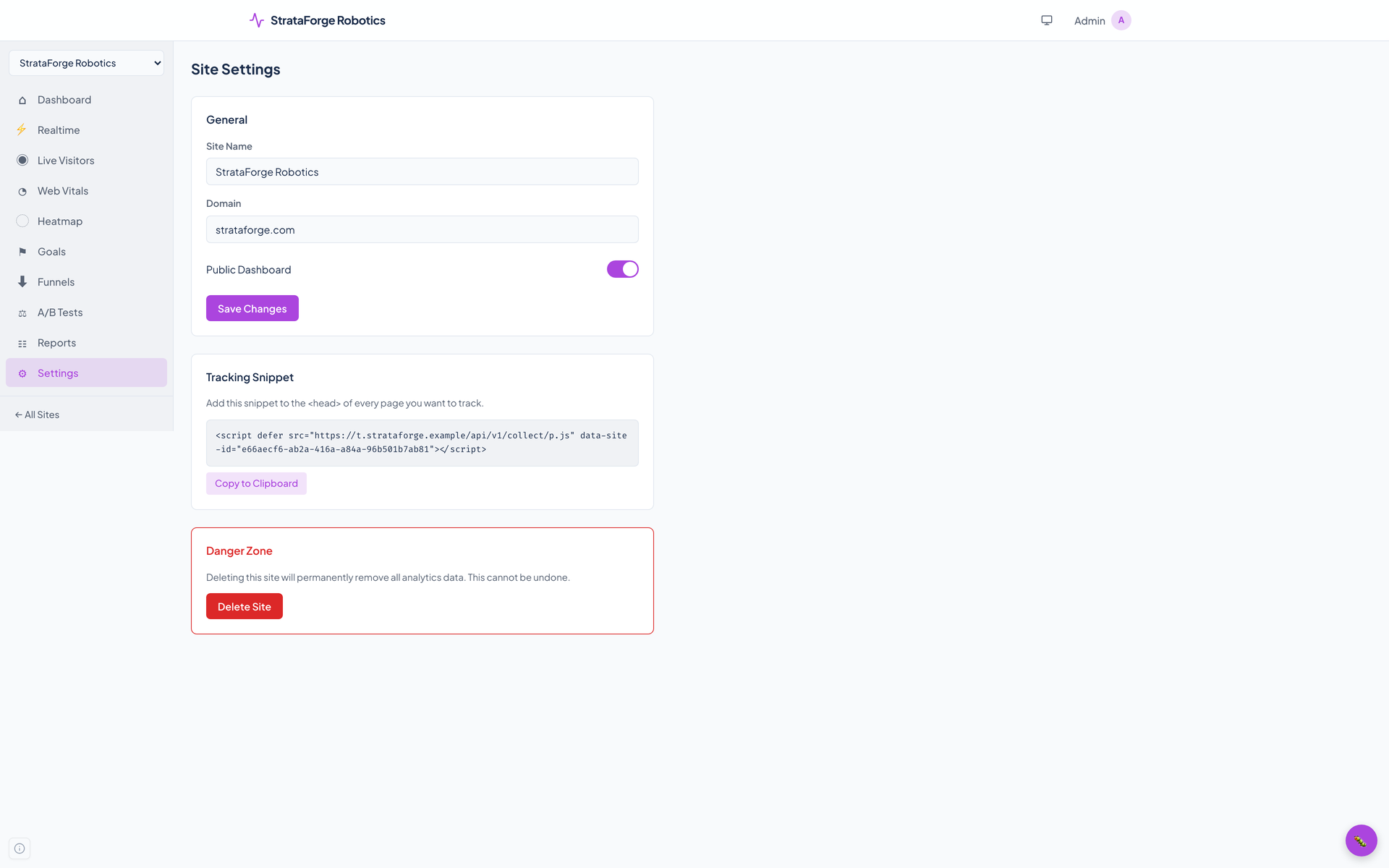
Real captures of the running tool, with fictional StrataForge Robotics data. They follow your theme.

How it works

From script to answer

  1. Install

    Add one script tag with the site's id to your pages. It loads from Pulse's own tracker host, weighs about 2.5 KB gzipped, and has no dependencies.

  2. Collect

    Each pageview and event goes to the collection endpoint. Pulse checks the host, drops bots and excluded addresses, reads the browser and the country, hashes the visitor, and throws the address away.

  3. Read

    The dashboards, the API, and the agent tools read the same stored rows, with hourly snapshots speeding up the headline numbers.

  4. Decide

    Set goals, build funnels, run an A/B test, and save the reports you check every week.

Accessibility

Built so everyone can use Pulse.

Pulse's dashboard is a web app, and this is what its code, its tests, and an axe-core scan run for this site show today. It has a skip link, landmarks, labeled controls, and an automated axe test that passes in jsdom. The same axe-core run in a real browser on every captured view finds serious color-contrast failures (white text on the app's violet accent, 2.9 to 1) and a labeling failure on clickable breakdown rows. It has not been tested with a screen reader. We do not claim a conformance level for the app, and the app's README claim of WCAG 2.1 AA is not one this site repeats.

  • Partly supported

    Keyboard operation

    Every page starts with a "Skip to main content" link, the site switcher is a labeled select, the navigation items are links, and each clickable row in a breakdown is a button that takes Tab focus and answers Enter and Space. The date range and tab controls are buttons. Nobody has walked every flow with only a keyboard, and the heatmap canvas and charts have no keyboard equivalent.

  • Partly supported

    Screen reader landmarks and labels

    Controls carry labels, and the site's own pages have landmarks. An automated vitest-axe test passes on the app and eight routes in jsdom. The browser axe run found two structural gaps: the pages open with a second-level heading and no first-level one, and the clickable breakdown rows have a label ("Filter by /") that does not contain the text shown. Pulse has not been tested with VoiceOver, NVDA, or JAWS, whatever the app's README says.

  • Not supported

    Contrast in light and dark

    The app's violet accent behind white text, used for primary buttons and the active date range, measures 2.9 to 1, below the 4.5 to 1 that WCAG AA asks for. axe-core reported color-contrast failures on all 13 captured views, in light and in dark, 325 elements in all. Most of the rest of the palette comes from the Renkara design system and was not measured on its own.

  • Partly supported

    Reduced motion

    The design system's global stylesheet shortens animations and transitions to almost nothing when the system asks for reduced motion. The Realtime page's counter pulse is drawn with an animation library, and nobody has confirmed in a browser with the setting on that it stops.

  • Not yet tested

    Text resize and zoom

    Nobody has tested Pulse at larger text sizes or browser zoom. Several labels are set in small fixed sizes (11 to 13 pixels), so large text may crowd them.

  • Not yet tested

    Mobile and touch

    Nobody has run the dashboard at 375 pixels. Reading the code, the left navigation is hidden below 768 pixels and the top bar is given no menu items for a site's pages, so on a phone there may be no way to move between Dashboard, Realtime, Goals, and the rest. That is unverified in a browser.

Tech specs

Under the hood

Pulse technical specification
Tracking script
  • p.js: 6,808 bytes, 2,512 gzipped, measured on 10/29/2026, with no dependencies
  • Sends with sendBeacon, falling back to fetch with credentials omitted; no cookie, no local or session storage
  • Follows single-page apps by watching history changes and the back button
  • Does nothing in a browser under automation, and honors Do Not Track on sites that set the attribute
  • A pixel address is served too, but it records nothing
Backend
  • FastAPI on Python 3.12, with async SQLAlchemy 2 and Alembic migrations (6 so far)
  • PostgreSQL in its own schema; Valkey for the live feed and caching
  • A write buffer batches inserts, and a worker writes hourly snapshots every five minutes
  • Per-address rate limit on the dashboard API (100 requests a minute by default); collection is exempt
Dashboard
  • React 19, Vite, and TypeScript, with Tailwind and the Renkara design system
  • Recharts for charts, light and dark themes, and a skip link on every page
  • Twelve pages: sites, dashboard, realtime, live visitors, web vitals, heatmap, goals, funnels, A/B tests, reports, settings, and a public page
Location and devices
  • Country, region, and city from the free DB-IP City Lite database, looked up inside Pulse; no address is sent to DB-IP or anyone else
  • Browser, operating system, and device type read from the user agent, which is not stored
Agents and API
  • 62 agent tools over stdio, relayed through Roost
  • A REST API under /api/v1 with filters on every stats endpoint (is, is not, contains, does not contain, matches)
  • Server-side event ingest, and webhook ingestion for Stripe, SendGrid, Google Ads, and Meta
Quality
  • 384 backend test functions, counted by search on 10/29/2026
  • A vitest-axe test of the app and eight routes, and an axe-core run on 14 captured views (see Accessibility)
Stands in for

Google Analytics, Plausible

Works with

Part of the Renkara fleet

MCP tools

Built for agents as well as people

Pulse ships an MCP server so a coding or planning agent can read the numbers and set up measurement: ask how a campaign did, add a goal, start an A/B test, or save a report.

Sites

  • list_sites
  • create_site
  • get_site
  • update_site
  • delete_site
  • get_snippet

Traffic

  • get_stats
  • get_timeseries
  • get_pages
  • get_entry_pages
  • get_exit_pages
  • get_sources
  • get_campaigns
  • get_keywords
  • get_locations
  • get_regions
  • get_cities
  • get_devices
  • get_browsers
  • get_os
  • get_screens
  • get_languages
  • get_events
  • get_realtime
  • get_visitor_types

Performance and behavior

  • get_web_vitals
  • get_heatmap
  • get_attribution

Events

  • create_event
  • batch_events

Goals and funnels

  • list_goals
  • create_goal
  • delete_goal
  • get_goal_conversions
  • list_site_goals
  • create_site_goal
  • list_funnels
  • create_funnel
  • get_funnel
  • delete_funnel
  • get_funnel_results

A/B tests

  • list_tests
  • create_test
  • get_test
  • start_test
  • conclude_test
  • delete_test
  • get_test_results

Milestones and reports

  • list_milestones
  • create_milestone
  • get_milestone
  • delete_milestone
  • list_reports
  • create_report
  • get_report
  • delete_report
  • create_report_schedule
  • list_report_schedules
  • delete_report_schedule

Identity and health

  • get_me
  • check_service_health
  • get_diagnostics
FAQ

Questions people ask

Does Pulse really set no cookies?

The tracking script sets none and uses no local or session storage, and every request it makes omits credentials. That is checked in the code on this site's behalf, and the Privacy page says what that does and does not prove. The dashboard itself, which only the people running the analytics use, keeps its sign-in token in the browser's local storage.

Is Pulse GDPR compliant?

This site does not claim that. Pulse is built to collect less: no cookies, no stored IP address, an identifier that changes daily. Whether a given site needs a notice or consent depends on the law where its visitors are and on what else the site does, and that is a question for a lawyer, not for this page.

Whose data is on these screens?

StrataForge Robotics, the fictional company from the novel The Deferral. Its six websites, their daily traffic, and its campaigns come from a shared fictional dataset, and the screens show one visit in ten of that traffic so the numbers stay light. No real site, visitor, or customer appears anywhere.

Can I use Pulse today?

Pulse runs in production for Renkara's own sites, and this site is a preview of what it does. To ask about access, write to contact@renkara.com.

Does Pulse use an AI model?

No. Nothing in the tracking script, the collection path, or the dashboard calls a language model. The agent tools let your own agent read the numbers.

Contact

Questions about this tool?

Write to Renkara Media Group and a person will answer.